- 글번호
- 43508
[외국인 유학생] 동시통역프로그램 사용법 안내
- 수정일
- 2026.09.03
- 작성자
- 대학원
- 조회수
- 192
- 등록일
- 2026.09.03
※ 구글 크롬 등의 브라우저를 통한 번역기능을 활용하여 본인 국가의 언어로 번역하여 보시기 바랍니다.
Please try translating into your country's language using the translation function of a browser such as Google Chrome.
User Manual
(for Students)
1. Access the service website
2. log in
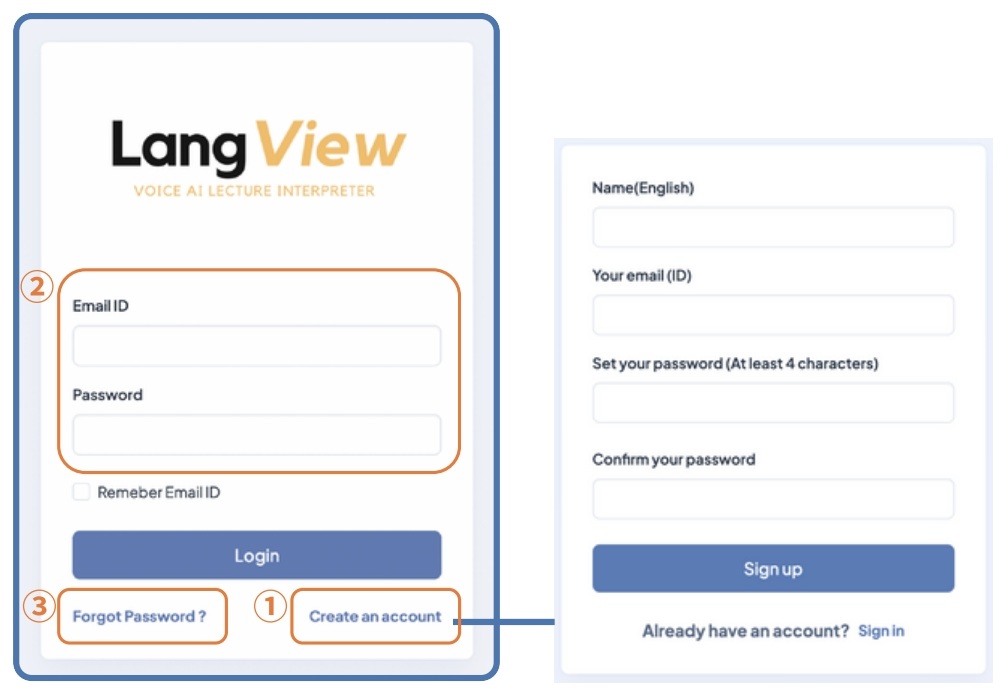
① Register as a new user
② Log in with your registered ID and Password
③ Reset your password
3. Main page
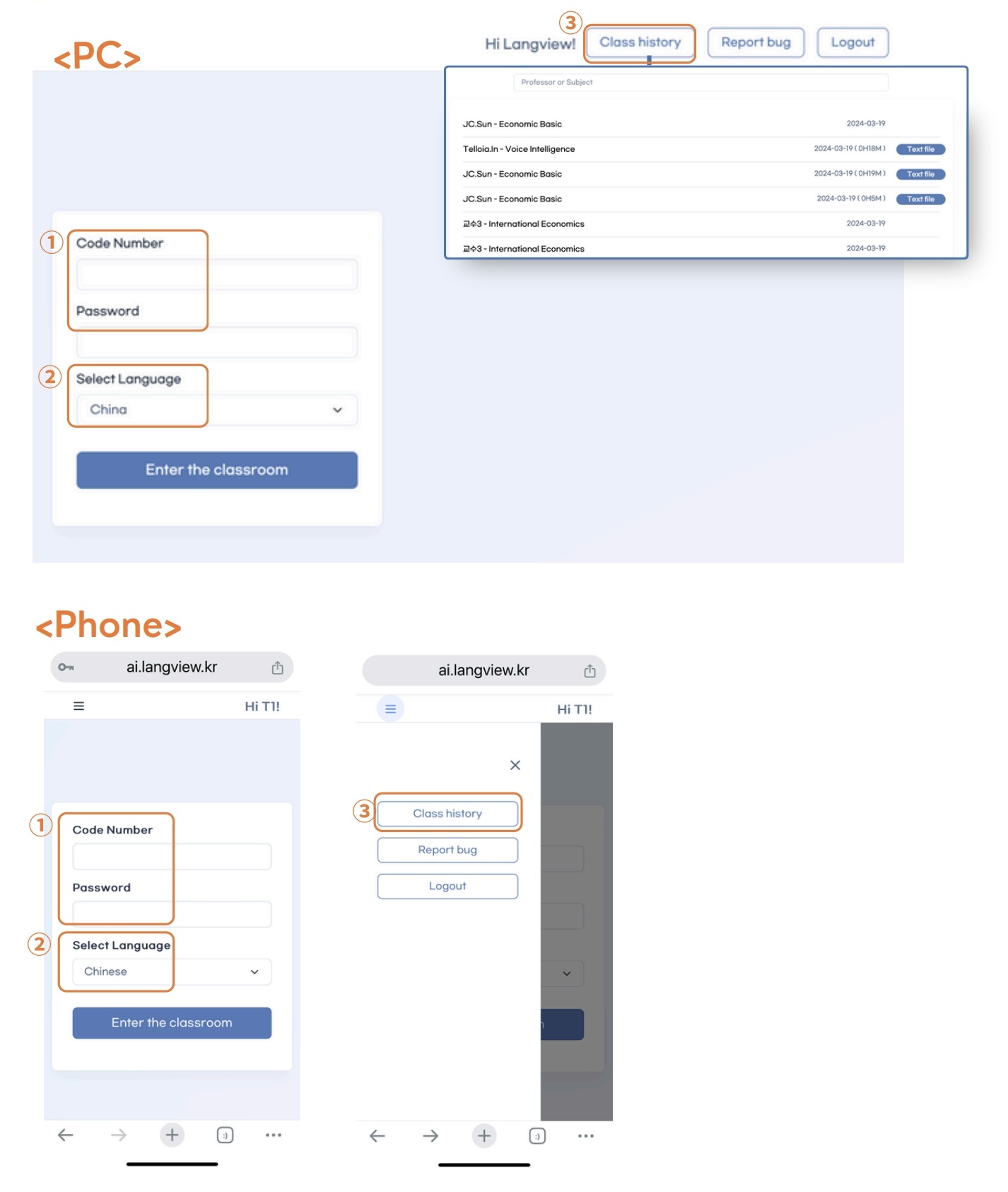
① Enter the Code Number and Password for the class (given by the professor)
② Choose the subtitle language you need
③ Check your class list and download translated subtitles
4. Live Translation
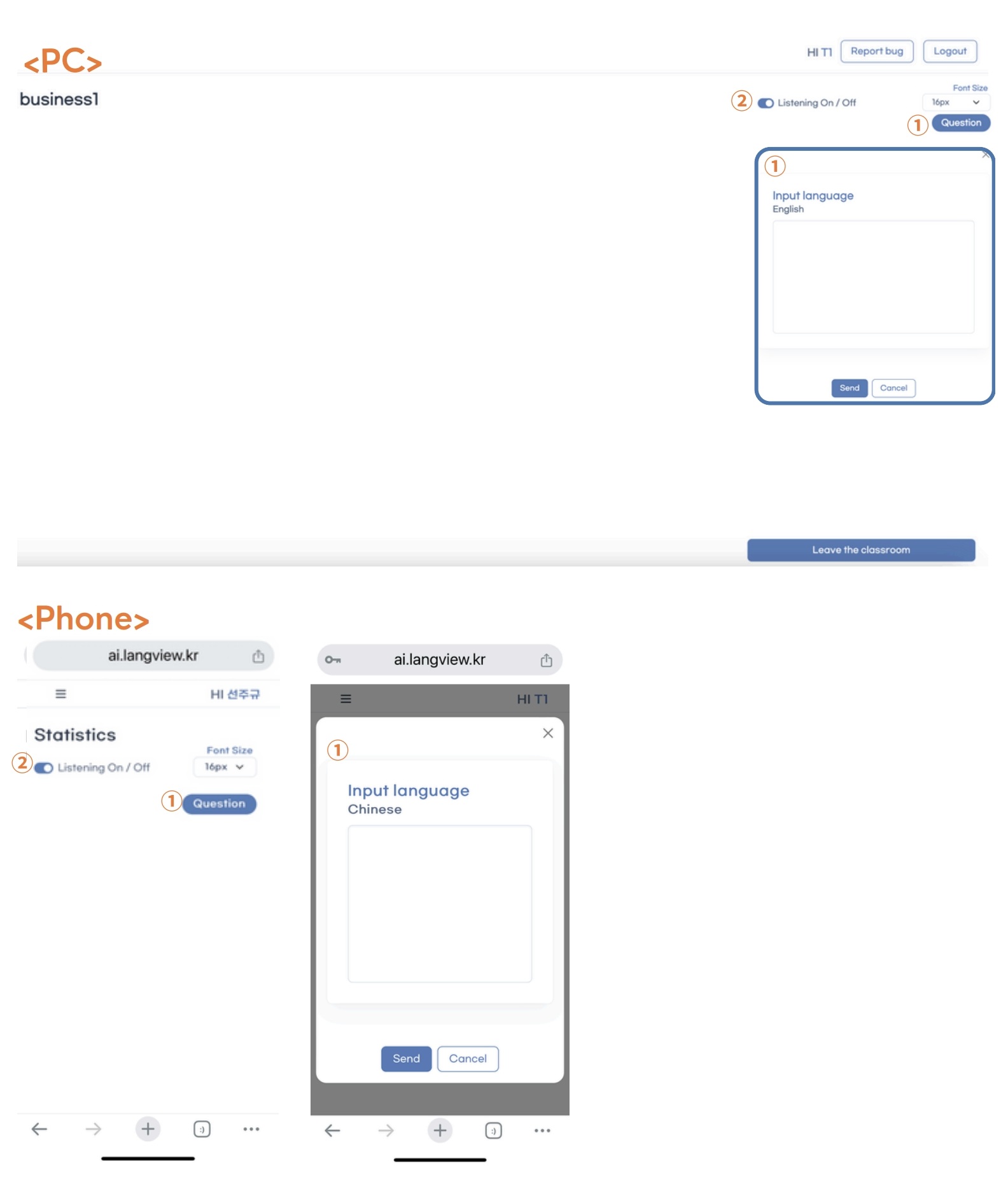
① Ask a question with your selected language
② Listen to translated subtitles in audio