- 글번호
- 43754
[외국인 유학생] 사이버캠퍼스 접속방법
- 수정일
- 2026.10.16
- 작성자
- 대학원
- 조회수
- 144
- 등록일
- 2026.10.14
※ 구글 크롬 등의 브라우저를 통한 번역기능을 활용하여 본인 국가의 언어로 번역하여 보시기 바랍니다.
Please try translating into your country's language using the translation function of a browser such as Google Chrome.
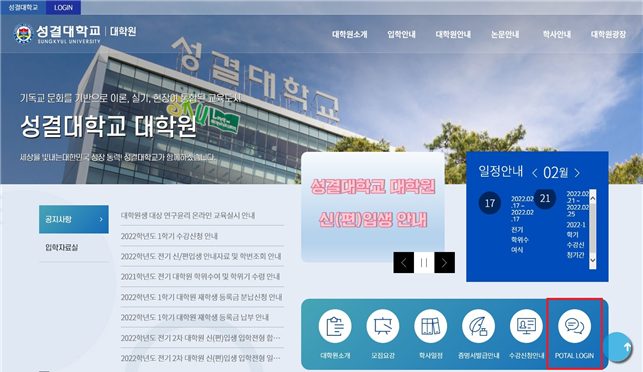
(1) 대학원 홈페이지 메인화면에서 “PORTAL LOGIN”을 클릭합니다.
Click “PORTAL LOGIN” on the main screen of the graduate school homepage.
(https://www.sungkyul.ac.kr/portalLogin/skukr/portalLoginForm.do)
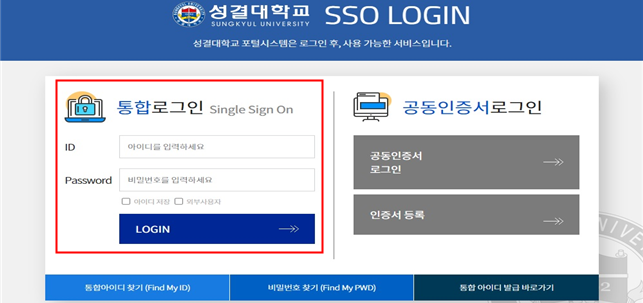
(2) 통합 ID와 비밀번호를 입력하여 로그인합니다.
Log in by entering your integrated ID and password.
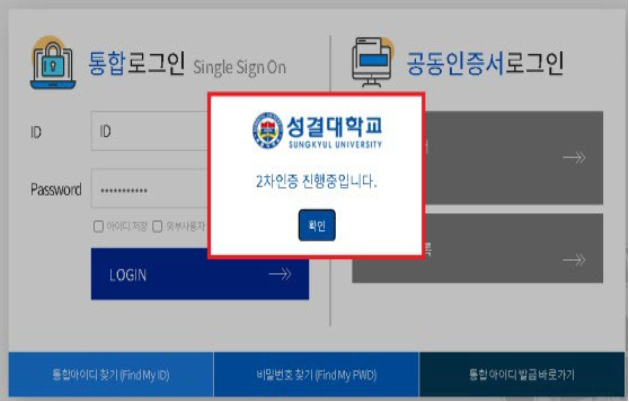
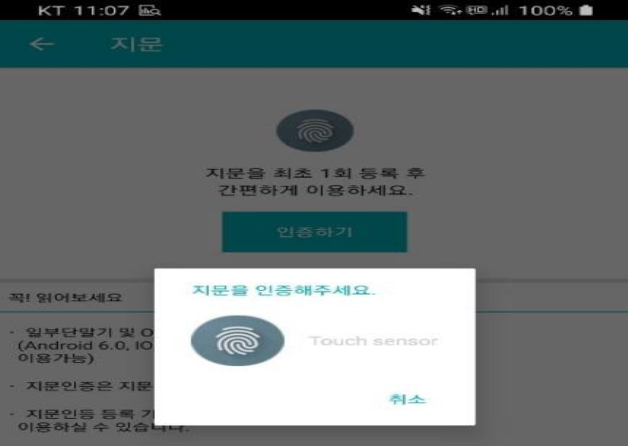
(3) 스마트폰을 통해 2차 로그인을 진행합니다. (2차 로그인 방법은 해당공지 링크 참고: https://zrr.kr/Lh5GdE)
Proceed with secondary login via your smartphone. (Check the link for the secondary login method)
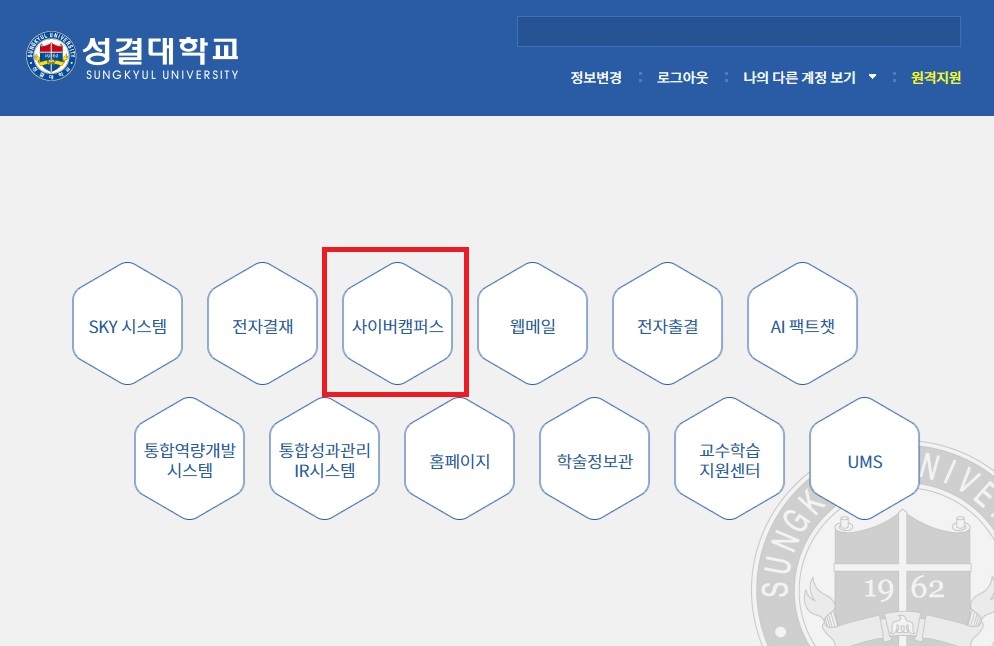
(4) 사이버캠퍼스를 클릭합니다.
Click on Cyber Campus.
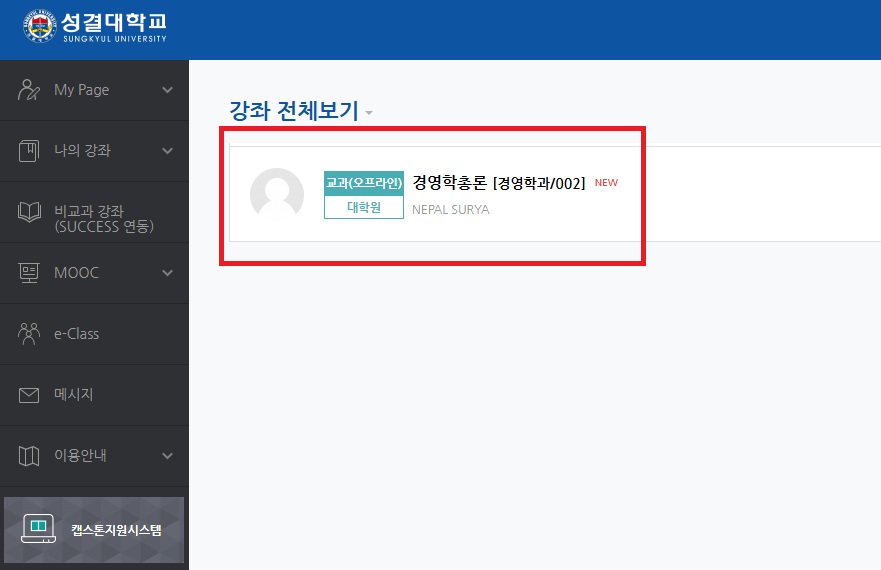
(5) 본인이 수강 중인 강좌를 클릭합니다.
Click on the class you are currently taking.
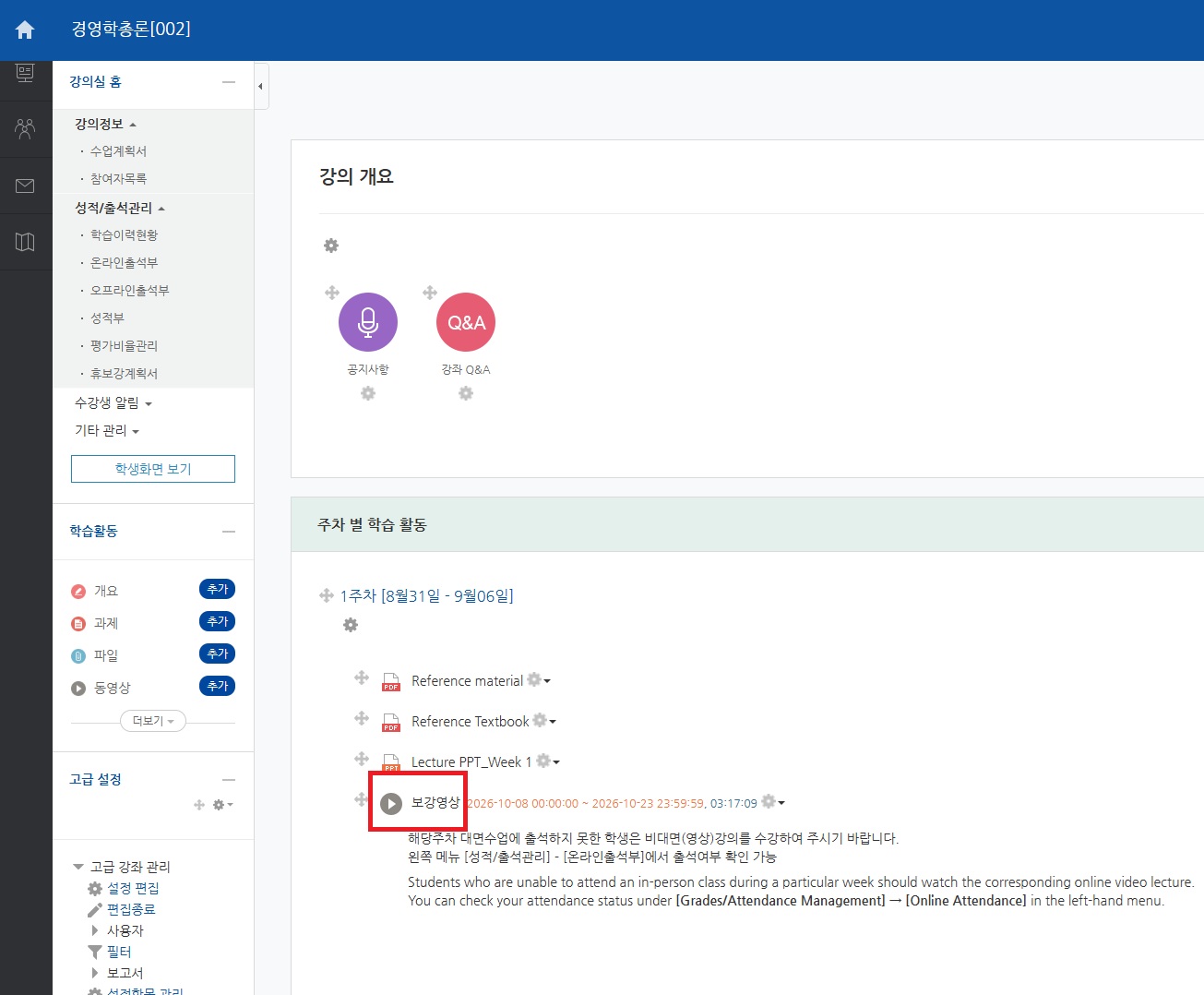
(5) 수업(동영상 등)을 클릭합니다.
Click on the lesson (video, etc.).
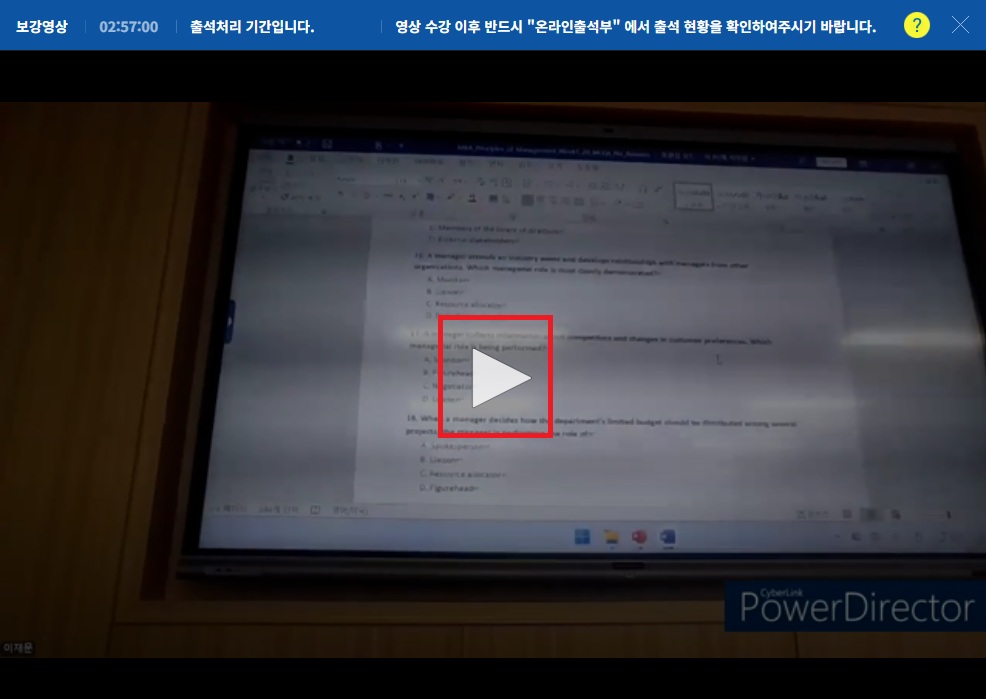
(6) 영상일 경우, 영상을 재생버튼을 눌러서 시청합니다.(처음부터 끝까지 100% 시청해야 출석인정됩니다.)
For videos, click the play button to watch. (You must watch 100% of the video—from beginning to end—for your attendance to be recognized.)
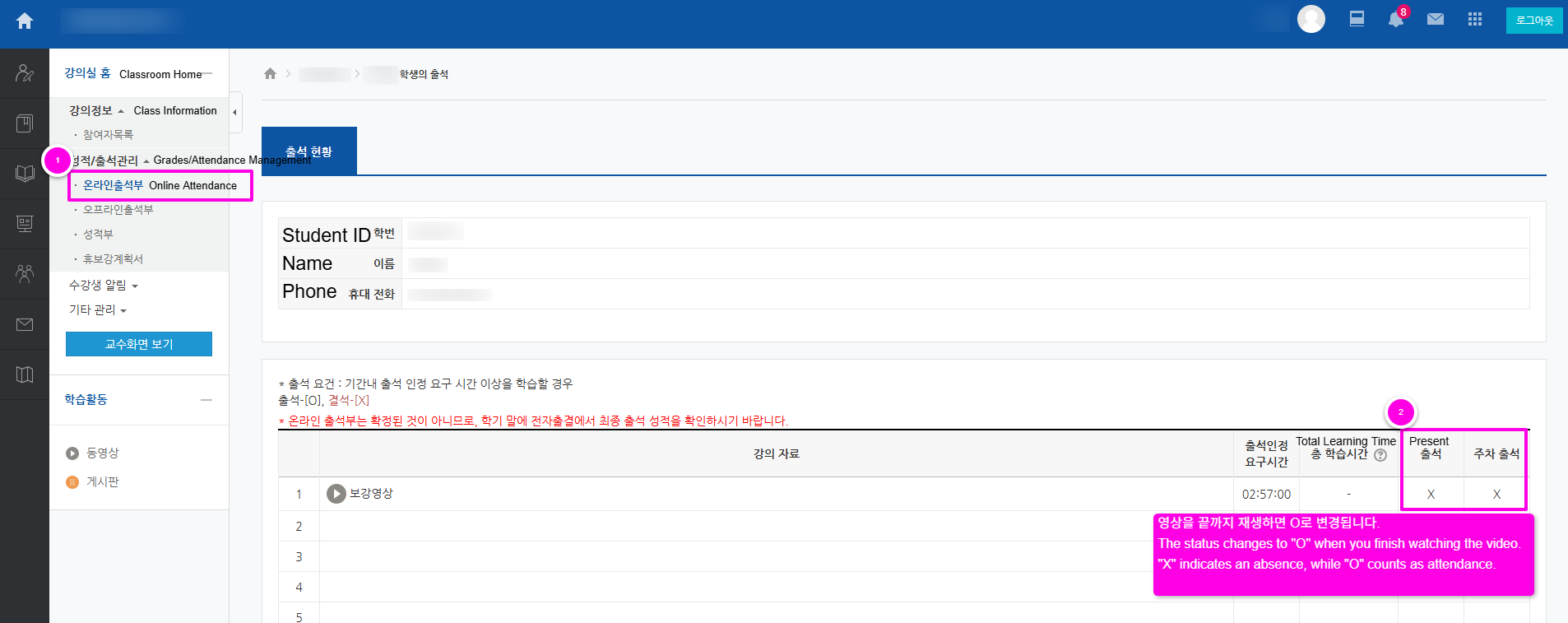
(7) [성적/출석관리] - [온라인출석부]에서 출석여부 확인 가능합니다.
X이면 결석, O면 출석입니다. 영상을 끝까지 재생하면 O로 변경됩니다.
You can check your attendance status under [Grades/Attendance Management] → [Online Attendance] in the left-hand menu.
"X" indicates an absence, while "O" counts as attendance. The status changes to "O" when you finish watching the video.
- 첨부파일
- 첨부파일이(가) 없습니다.