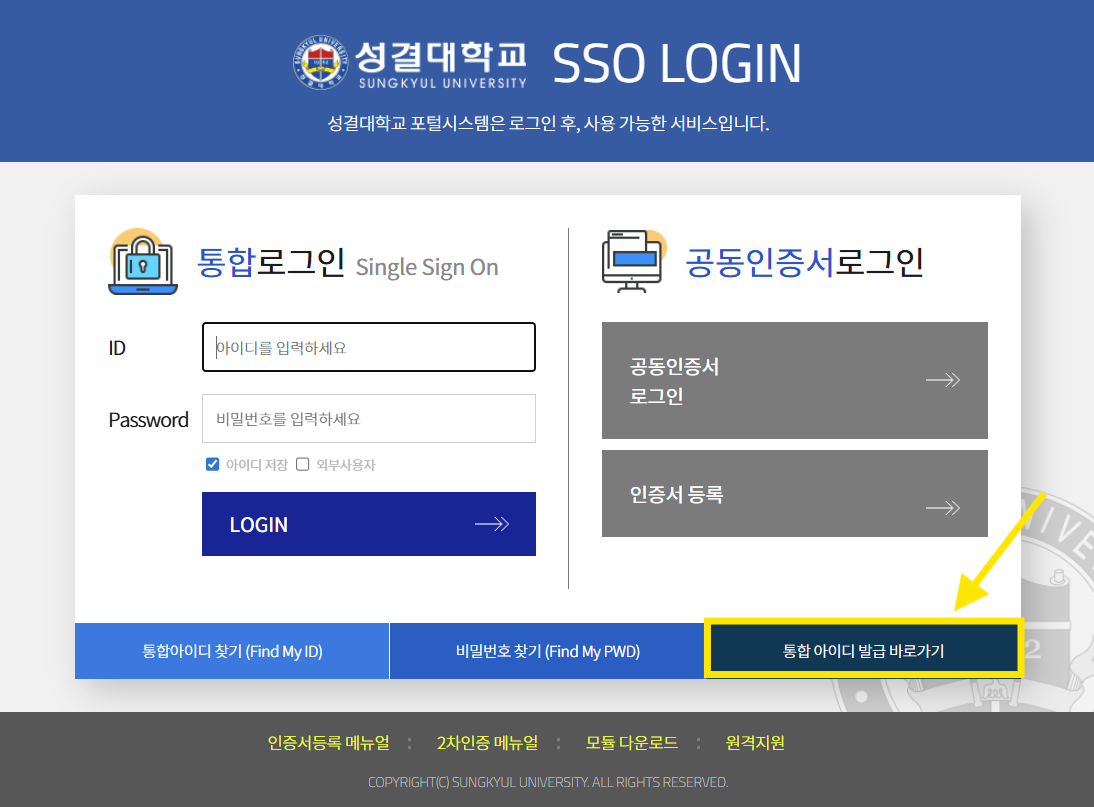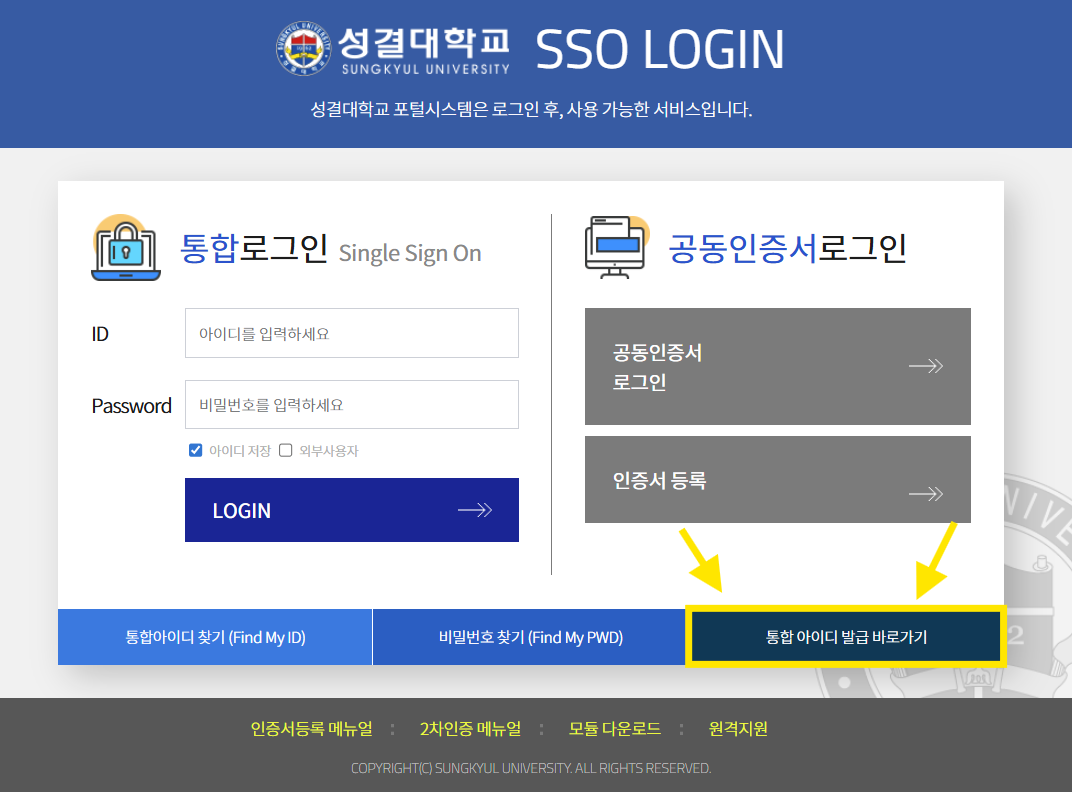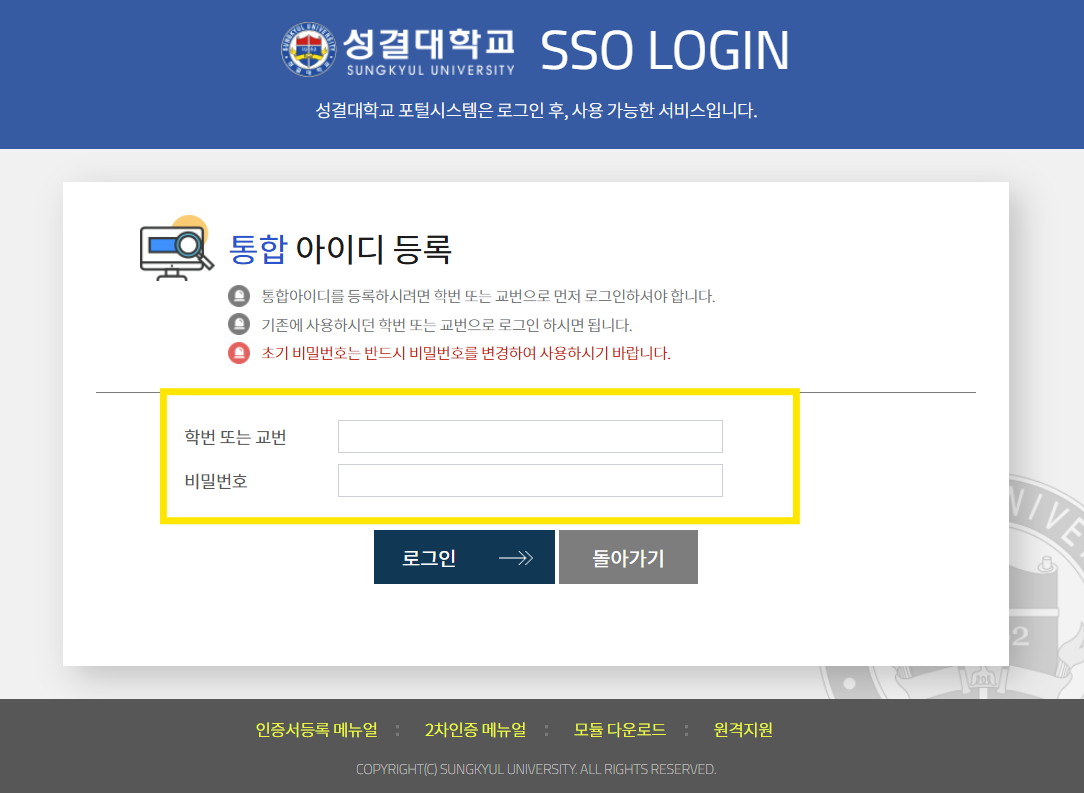

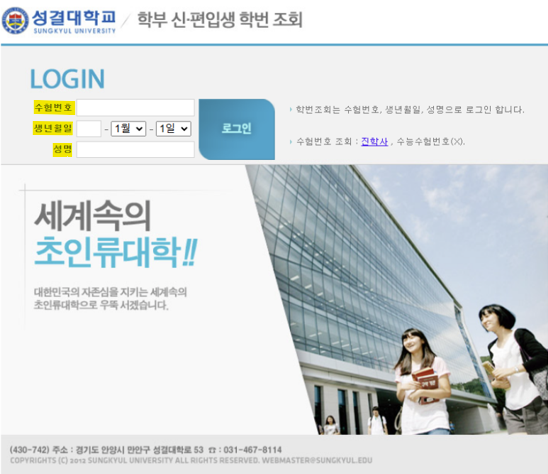
Check your Student ID number
|
[Notes when checking your Student ID] 1. You must enter your application number, date of birth, and full name. Please make sure you know your application number. 2. Student ID lookup site: https://sky.sungkyul.ac.kr:444/login.jsp |
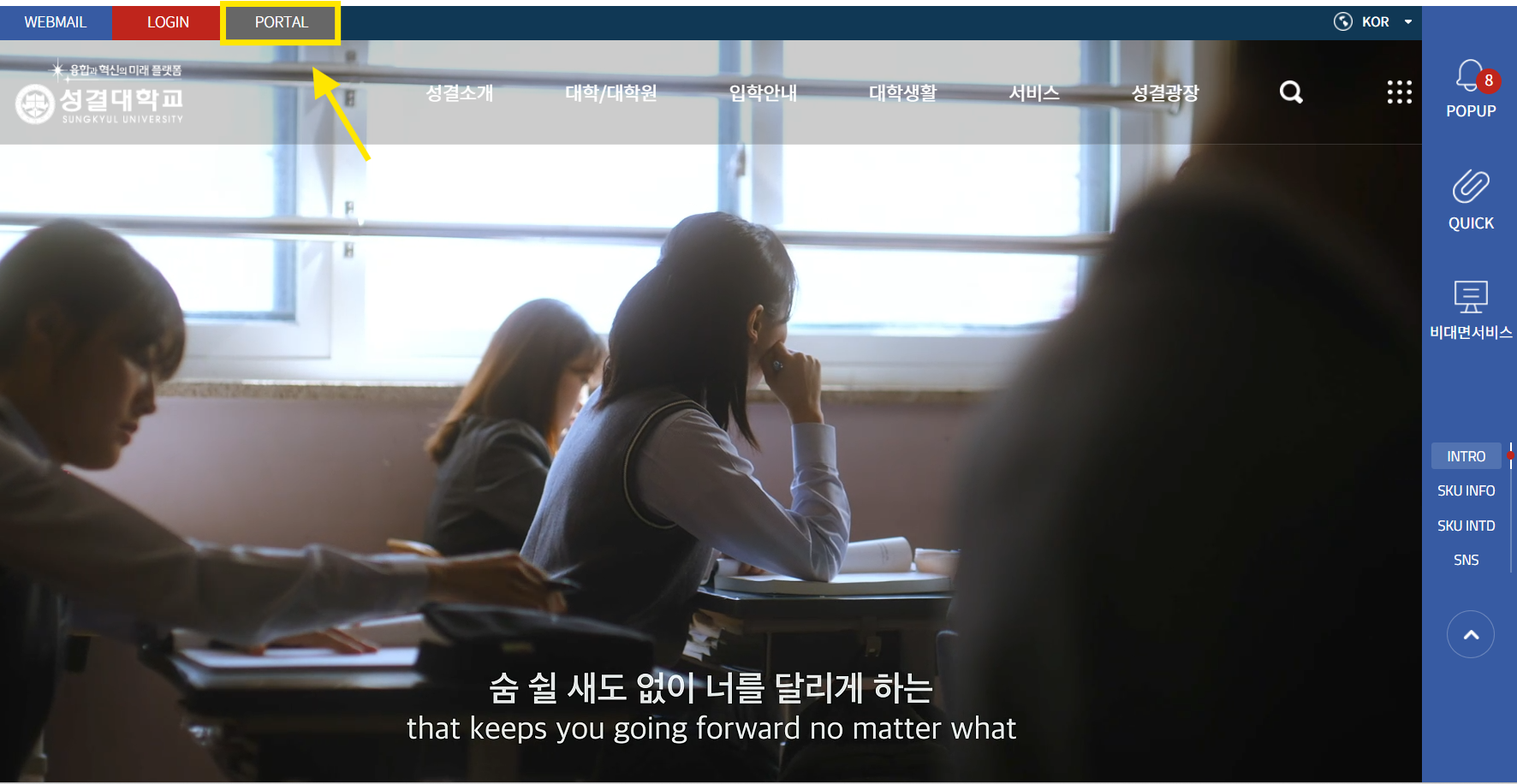
Create a “Unified ID” on the main Sungkyul University website
Be sure to remember the ID and password you create. Recovering them later can be difficult.
|
|
|
|
|
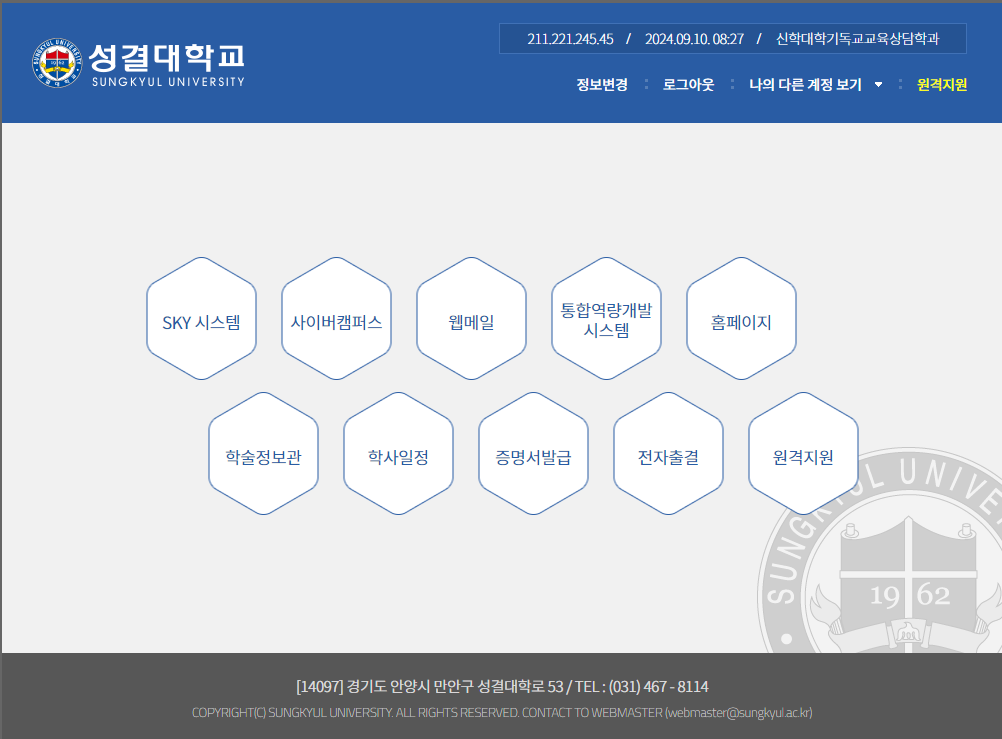
1. Once your Unified ID is created, you can use course registration, the library, Cyber Campus (online lectures), and co-curricular programs (Integrated Competency Development System). |
Course Registration
※ For course registration, check your department’s curriculum chart and make sure you understand the graduation credit requirements and required courses.
- You must enter your courses yourself via the online course-registration site.
- You can confirm the timetable and access the registration site via: Homepage → Academic Notices → Timetable & Course Registration website.
- Minimum credit requirements differ by department. Please refer to the timetable notice on the Academic Affairs homepage.
- You must enter your courses yourself via the online course-registration site.
- You can confirm the timetable and access the registration site via: Homepage → Academic Notices → Timetable & Course Registration website.
- Minimum credit requirements differ by department. Please refer to the timetable notice on the Academic Affairs homepage.
Pre-registration
A system that lets you temporarily select desired courses before the main registration period.
You can place classes in your cart in advance and then register quickly with one click.
Main registration
On your grade’s assigned registration date, go to the course-registration site (https://sugang.sungkyul.ac.kr/login/Login.jsp) and register promptly.
The server usually opens exactly at 09:00, and popular classes fill quickly, so please be mindful of the time.
Class periods timetable
| 50-minute class periods | |
|---|---|
| Period | Time |
| 1 | 09:00 ~ 09:50 |
| 2 | 09:55 ~ 10:45 |
| 3 | 11:00 ~ 11:50 |
| 4 | 12:00 ~ 12:50 |
| 5 | 12:50 ~ 13:40 |
| 6 | 13:45 ~ 14:35 |
| 7 | 14:40 ~ 15:30 |
| 8 | 15:35 ~ 16:25 |
| 9 | 16:30 ~ 17:20 |
| 10 | 17:40 ~ 18:30 |
| 11 | 18:30 ~ 19:20 |
| 12 | 19:20 ~ 20:10 |
| 13 | 20:15 ~ 21:05 |
| 14 | 21:05 ~ 21:55 |
| 15 | 21:55 ~ 22:45 |
Electronic Attendance
Attendance policy
- If you are absent 4 times in a course, you will receive an F even if you take the exams and submit all assignments.
- Three tardies count as one absence.
|
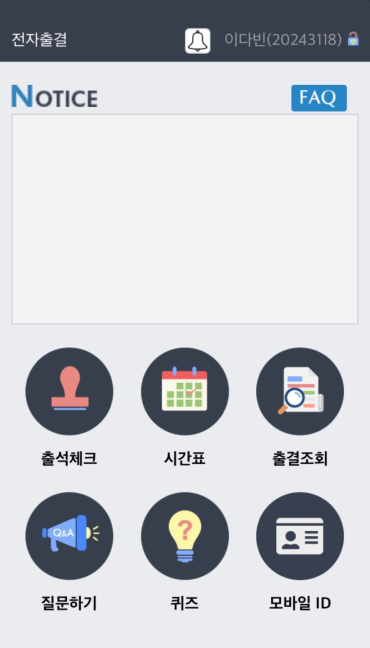
1. Download the Electronic Attendance System app. 2. All attendance for classes is managed through the e-attendance system. Be sure to remember and use your Sungkyul Unified Login ID and password. |
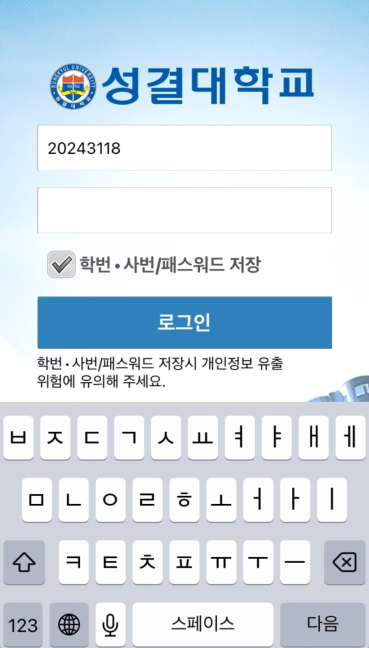
|
1. Login ID and password: your Sungkyul University portal (Unified ID) password |
|
1. You must check in electronically when you enter class. If you fail to check in, you may be marked absent. All students must complete check-in through the electronic attendance system at the start of class. ← Tap “Check Attendance” to complete the check-in. |

|
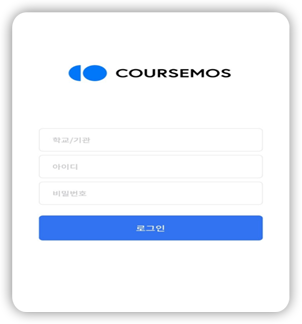
① Institution: search for “Sungkyul University” ② Portal ID and password: enter your Sungkyul Unified Login ID and password |
|
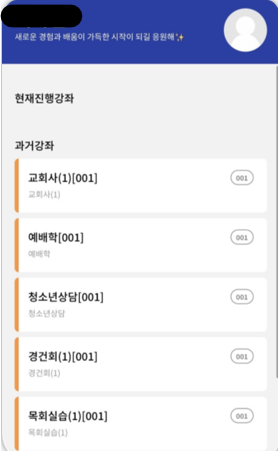
① You can take the relevant course online. |
|
1. This app links to Cyber Campus (online lectures). Professors who teach via Cyber Campus will upload assignments and lecture materials here. |
Change of Major (Internal Transfer)
1) Eligibility: After completing 1st semester of Year 1; apply according to the academic schedule (no GPA or earned-credit minimums).
2) Application periods: usually in May and October each year.
3) Number of times allowed: unlimited during enrollment.
4) Notes
- Transfer to Teacher Education programs is permitted only if seats are available within the admission quota.
- Applicants for Teacher Education programs may be required to take additional tests (academic/interview) and a separate teacher-aptitude and character assessment.
- Students admitted to the Undeclared/Free Major Program may apply for transfer to a declared major during the designated period before the end of the semester in which they choose their major (after finishing the first year).
5) Inquiries: Academic Affairs +82-31-467-8207
2) Application periods: usually in May and October each year.
3) Number of times allowed: unlimited during enrollment.
4) Notes
- Transfer to Teacher Education programs is permitted only if seats are available within the admission quota.
- Applicants for Teacher Education programs may be required to take additional tests (academic/interview) and a separate teacher-aptitude and character assessment.
- Students admitted to the Undeclared/Free Major Program may apply for transfer to a declared major during the designated period before the end of the semester in which they choose their major (after finishing the first year).
5) Inquiries: Academic Affairs +82-31-467-8207
Academic Administration
Academic warning (prior to dismissal)
- Given if a student’s semester GPA is below 1.50 or the student fails three or more courses in a semester.
- A student who received an academic warning in the previous semester may register for no more than 15 credits in the following semester.
- If a warned student’s semester GPA again falls below 2.0, another warning is issued.
- Three or more cumulative academic warnings during enrollment result in dismissal.
- A student who received an academic warning in the previous semester may register for no more than 15 credits in the following semester.
- If a warned student’s semester GPA again falls below 2.0, another warning is issued.
- Three or more cumulative academic warnings during enrollment result in dismissal.
Dismissal
- Failure to complete tuition payment within the designated registration period
- Failure to return from leave of absence within the designated period
- Determined to be unable to continue studies due to academic deficiency or health reasons
- Unexcused absence for one month or longer
- Concurrent enrollment at another university
- Failure to return from leave of absence within the designated period
- Determined to be unable to continue studies due to academic deficiency or health reasons
- Unexcused absence for one month or longer
- Concurrent enrollment at another university
Leave of absence (international students)
- International students who take a leave must depart for their home country within one month from the leave date, even if their visa period remains.
- The list of international students on leave is reported to Immigration; visas are automatically canceled. Remaining in Korea during leave constitutes illegal stay and may result in fines.
- Illegal employment or illegal stay during leave may cause disadvantages upon returning.
- To return, you must obtain a new visa in your home country and re-enter Korea.
- The list of international students on leave is reported to Immigration; visas are automatically canceled. Remaining in Korea during leave constitutes illegal stay and may result in fines.
- Illegal employment or illegal stay during leave may cause disadvantages upon returning.
- To return, you must obtain a new visa in your home country and re-enter Korea.
Scholarships for International Students
Tuition reduction: 40–50%
① Eligibility:
- 40% of tuition: previous-semester GPA 2.8 or higher
- 50% of tuition: previous-semester GPA 3.7 or higher
※ Note: If you receive an “F” in any registered course, you are not eligible for the scholarship.
② How to apply
- Log in to the SKY system during the scholarship application period.
- Submit an online application and print the application form.
- Bring a copy of your Alien Registration Card and the printed application form to the Student Support Office.
※ Note: Check the academic calendar for exact application dates.
- 40% of tuition: previous-semester GPA 2.8 or higher
- 50% of tuition: previous-semester GPA 3.7 or higher
※ Note: If you receive an “F” in any registered course, you are not eligible for the scholarship.
② How to apply
- Log in to the SKY system during the scholarship application period.
- Submit an online application and print the application form.
- Bring a copy of your Alien Registration Card and the printed application form to the Student Support Office.
※ Note: Check the academic calendar for exact application dates.